Blog
Aerospike Voyager: From first connection to production code
Learn how Aerospike Voyager unifies data exploration and production code with shared filters, AI-ready workflows, and safe query execution at scale.
Blog
Learn how Aerospike Voyager unifies data exploration and production code with shared filters, AI-ready workflows, and safe query execution at scale.

Traditionally, working with a new database means stitching together a command-line tool to explore data, a separate surface to test queries, and then rewriting both into application code before anything ships.
Aerospike Voyager, now in Preview, is a free desktop application for macOS, Windows, and Linux that unifies that experience: one-click cluster connection, prebuilt sample data, a hierarchical data browser for visual schema exploration, and server-side filtering that carries directly into production code.
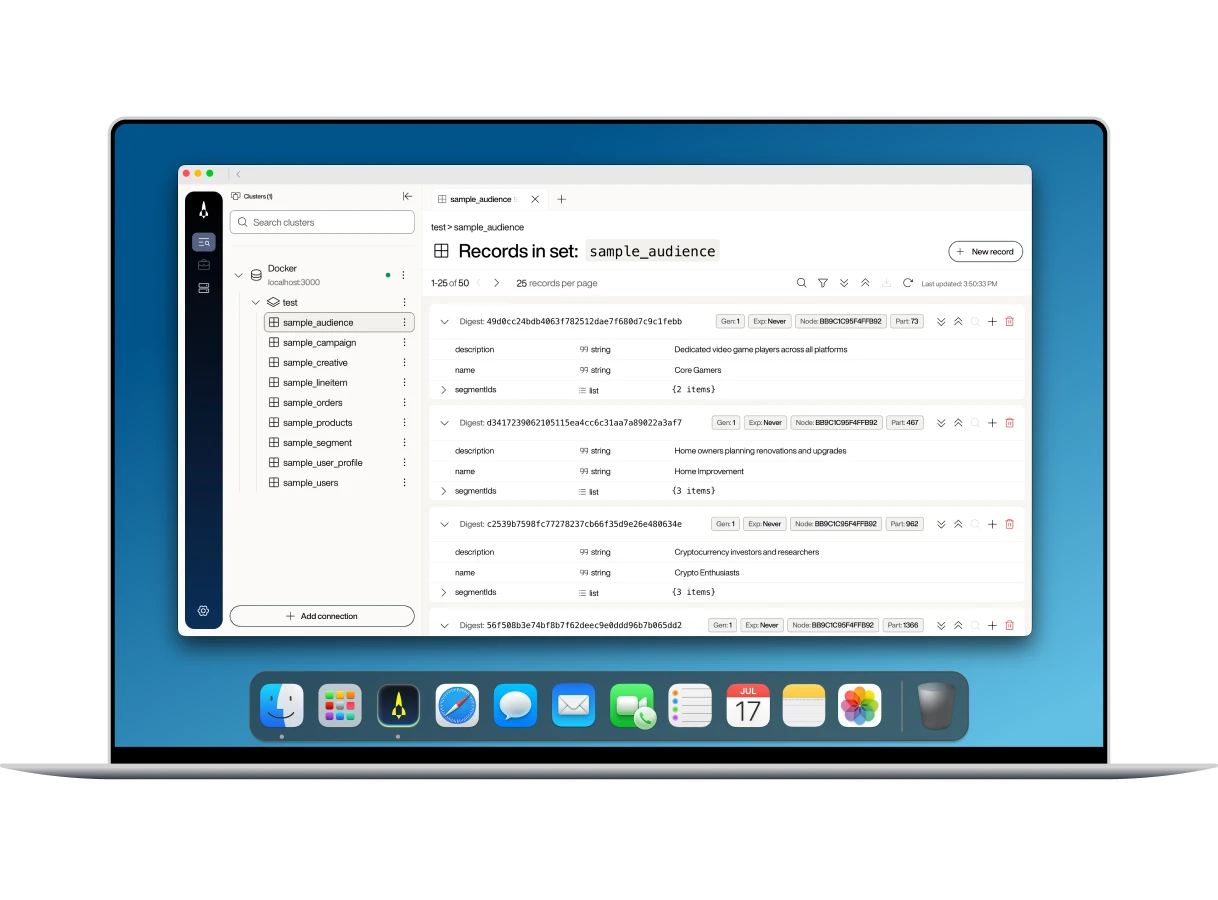
Most developers getting started with a new database go through some version of the same sequence: Install something; open a GUI client, a SQL workbench, or a query console; cobble together sample data because the dataset you need does not exist yet; write a query in the GUI; rewrite it as application code, because a query you typed into a console is not the same artifact as a query composed, parameterized, and embedded in business logic inside your codebase. Somewhere in the middle of that, an exploratory scan touches more records than anyone meant it to.
Most databases have closed this gap by translating data browser logic into separate boilerplate application code. But the exploration still doesn't travel well. What you build in the tool has to be rewritten before it ships.
Voyager is built around three principles:
Continuity: The filter you author in the UI is the filter your application ships. Same expression language, no rewrite at the prototype-to-production boundary.
AI-native: The authoring surface your coding agent uses is the same one you use, against the same cluster, in the same query language.
Safe by default: Exploratory queries can be cancelled mid-flight, so an inquiry that turned out to be expensive doesn't have to run to completion.
Filtering is one place where Voyager's continuity principle shows up most concretely. Inside Voyager, you build filters in one of two places:
The visual Filters tab covers the common cases: equals, greater-than and less-than, exists, AND/OR.
The Expression tab accepts the full Aerospike Expression Language (AEL), including collection data type operations, record metadata filters for TTL and digest, and arbitrary nested logic.
Whichever tab you use, Voyager produces the same AEL string. That string goes straight into the new Aerospike Java and Python SDKs through .where(...) when your application runs a query in production. There is no translation layer, no intermediate DSL, and no rewrite at the prototype-to-production boundary. The filter you built in Voyager is the filter your application ships.
Say you are browsing a sample_users set and want to see only users over 30. In the Filters tab, pick the age bin, choose greater than, and enter 30. Switch to the Expression tab to see that it dynamically updates as you adjust the drop-down filters, now reflecting: $.age > 30
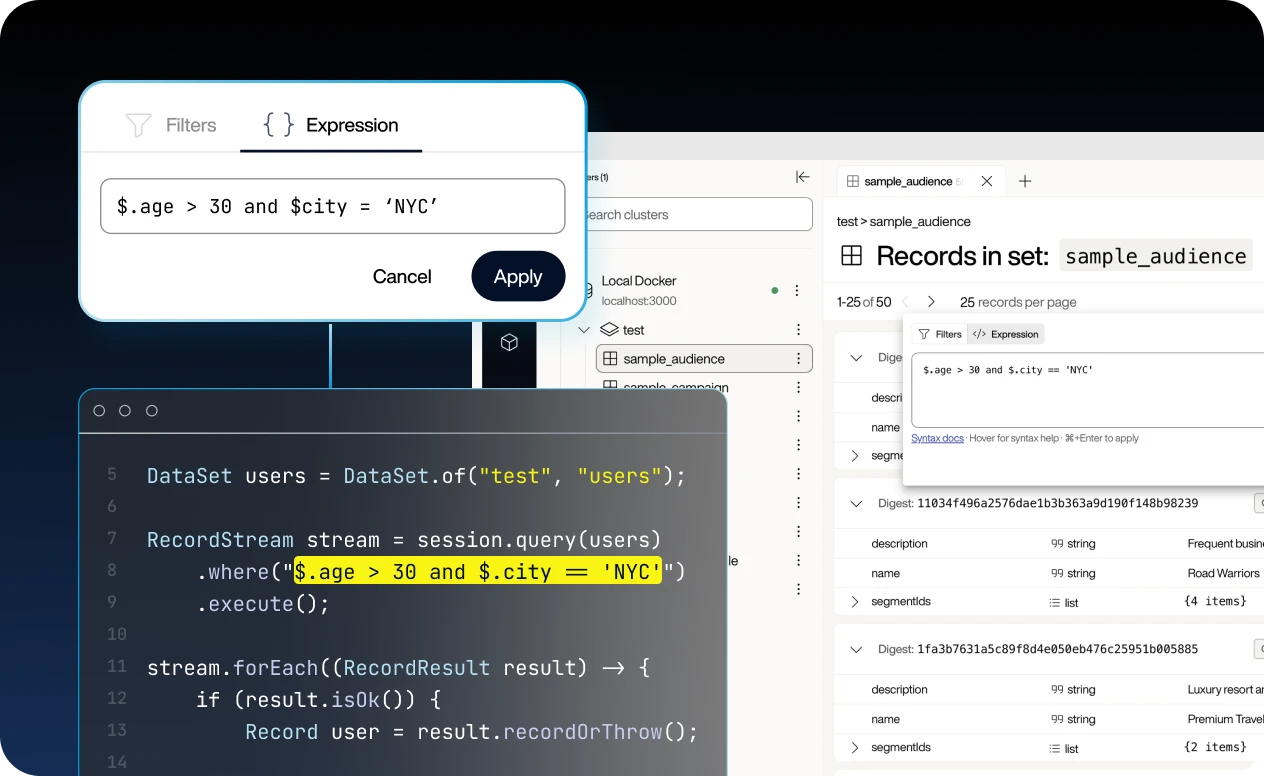
Paste the expression into your application that’s using the new Java or Python SDKs. The AEL string is what the .where(...) clause accepts. The paste is literal, with no builder rewrite. Here is what it looks like in your application using the new Java or Python SDKs:
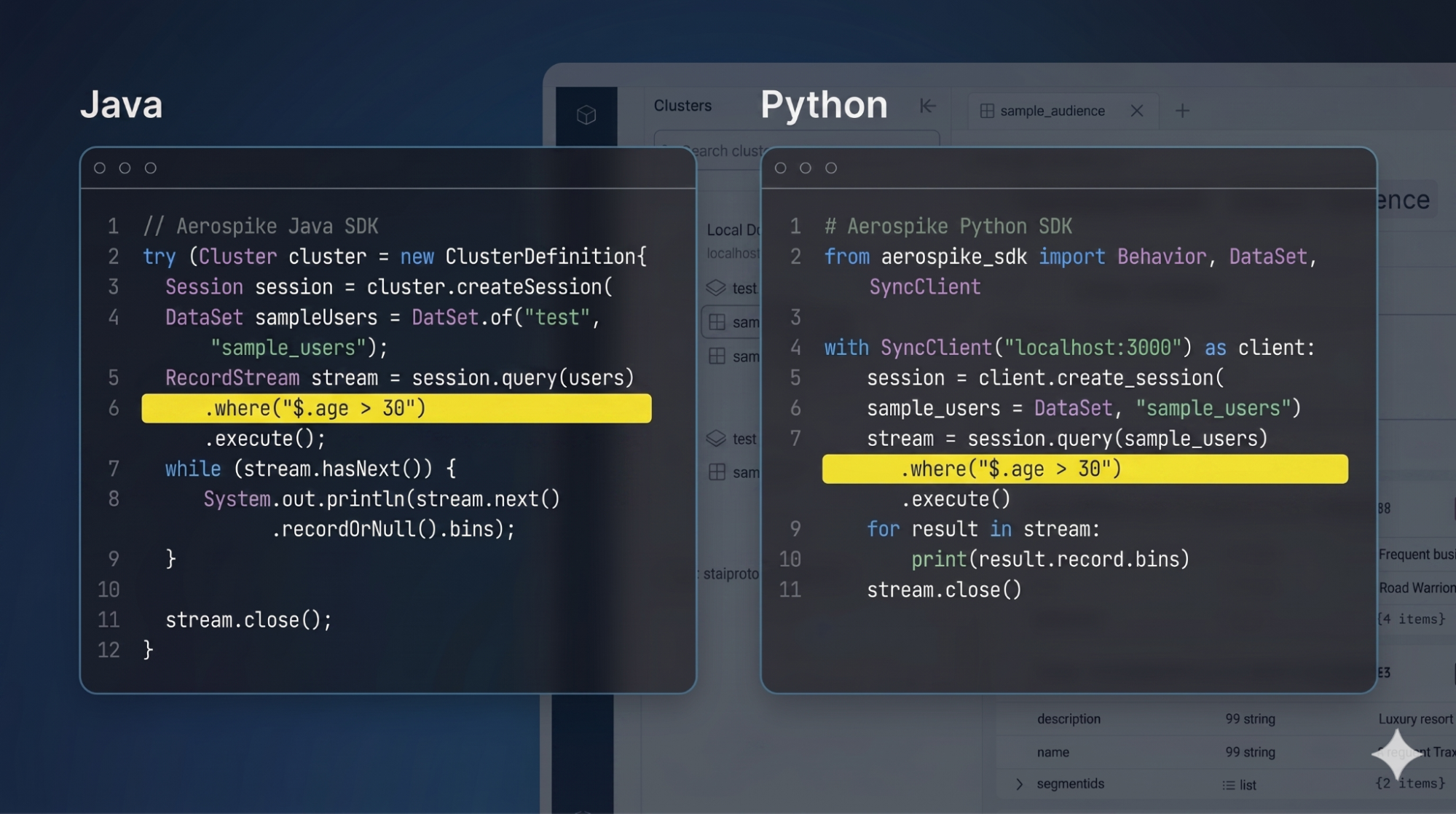
The Expression tab also accepts operators that the visual builder does not cover, such as a CDT path traversal. See the AEL reference for the full syntax.
AI agents now participate in everyday development alongside human developers: writing code, reviewing pull requests, exploring unfamiliar systems. Agents hit the same problem developers do. If the tool they use to explore a database speaks a different language than the application, their output has to be rewritten before it ships.
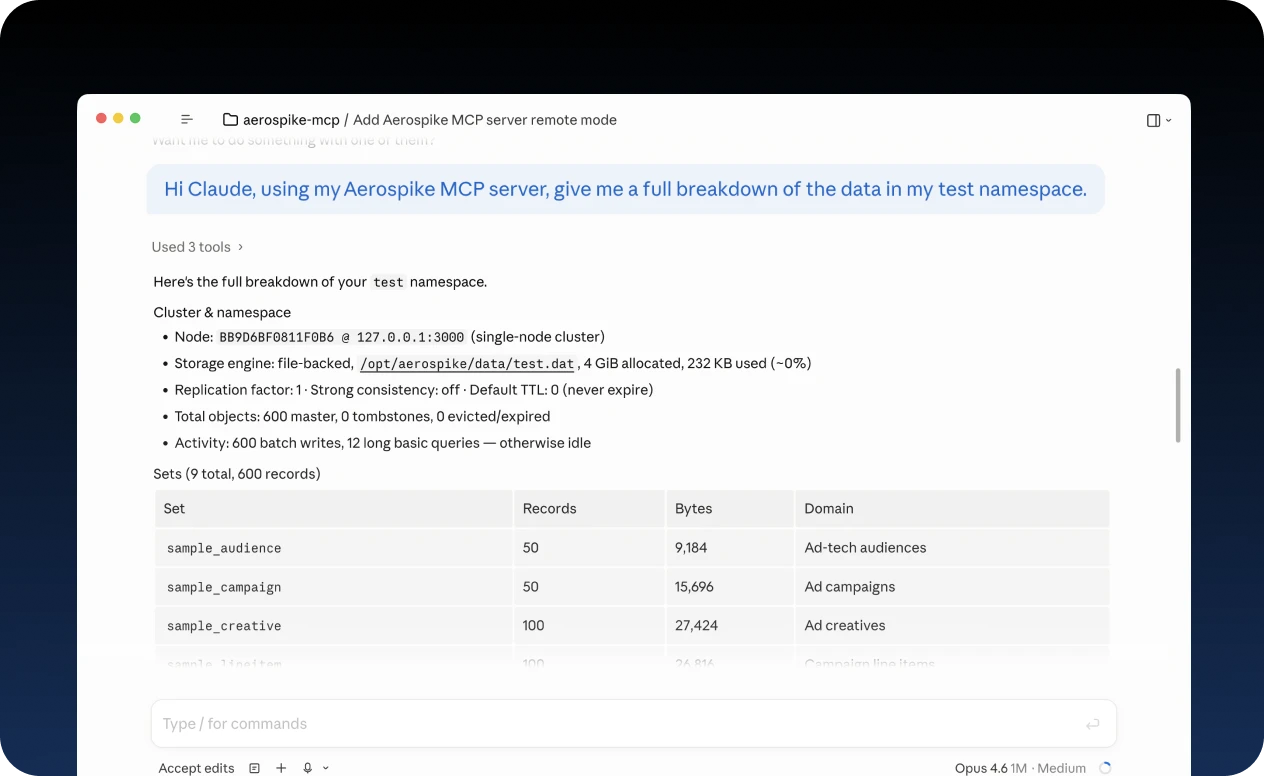
Voyager bundles an embedded model context protocol (MCP) server with token-based authentication and two access profiles:
Read-Only for safe exploration,
Full-Access for active development. Claude Code, Claude Desktop, Cursor, or any MCP client connects to it.
The server shares Voyager's connection management, so any cluster you've already set up in Voyager is available to your agent without extra configuration. The Read-Only default prevents accidental mutations, and your agent inspects the real schema instead of guessing.
Because the agent writes queries in the same AEL string your application uses, what it produces drops straight into your code, no rewrite required.
Exploration against a large set is where afternoons go sideways. An exploratory filter that felt cheap on a sample dataset becomes a full-cluster scan on a 100-million-record namespace, and the rest of the day is spent apologizing.
Voyager answers that with cancellation. A scan in flight can be stopped from the same panel that launched it; one click, done. The MCP server extends the same protection through configurable query timeouts.
Guardrails, not gatekeeping. The accidental full-cluster scan stops being the story of your afternoon.
We built a complete hands-on tutorial around a retail product-browsing and shopping-cart application so you can use Voyager alongside the new Java SDK immediately. The app ships with the database methods already defined, but empty. You fill them in step by step as the tutorial walks you through real SDK patterns with Voyager open alongside.
By the end, you'll have written code to store and retrieve products, query by category using secondary indexes, run multi-filter searches, and implement a shopping cart with a check-and-set update pattern. Whether you're new to Aerospike or migrating from the legacy client, this is the fastest way to get productive with both tools. Try the tutorial.
Voyager Preview is available today. It's free, runs on macOS, Windows, and Linux, and updates automatically.
Download Voyager (includes the Aerospike MCP Server)
Voyager quickstart: install, connect, first filter
Set up the embedded MCP server for your AI coding agent
For a deeper understanding and more insights, explore these additional resources.
See more
Blog
Blog
Blog
Blog
