Upgrade AKO on Red Hat OpenShift
Aerospike Kubernetes Operator (AKO) is a Red Hat Marketplace certified operator. It is available through the Red Hat certified operators catalog.
Upgrade AKO on your OpenShift cluster using the web console or command line:
OpenShift Web Console
Use the following procedure to upgrade AKO installed on Red Hat OpenShift to the latest version using the web console.
Verify version availability
-
Launch the OpenShift web console.
-
Using the
Administratorview, navigate toOperators>OperatorHub. -
Search for
Aerospike. -
Select the
Marketplaceversion of the Aerospike Kubernetes Operator as shown in the following image.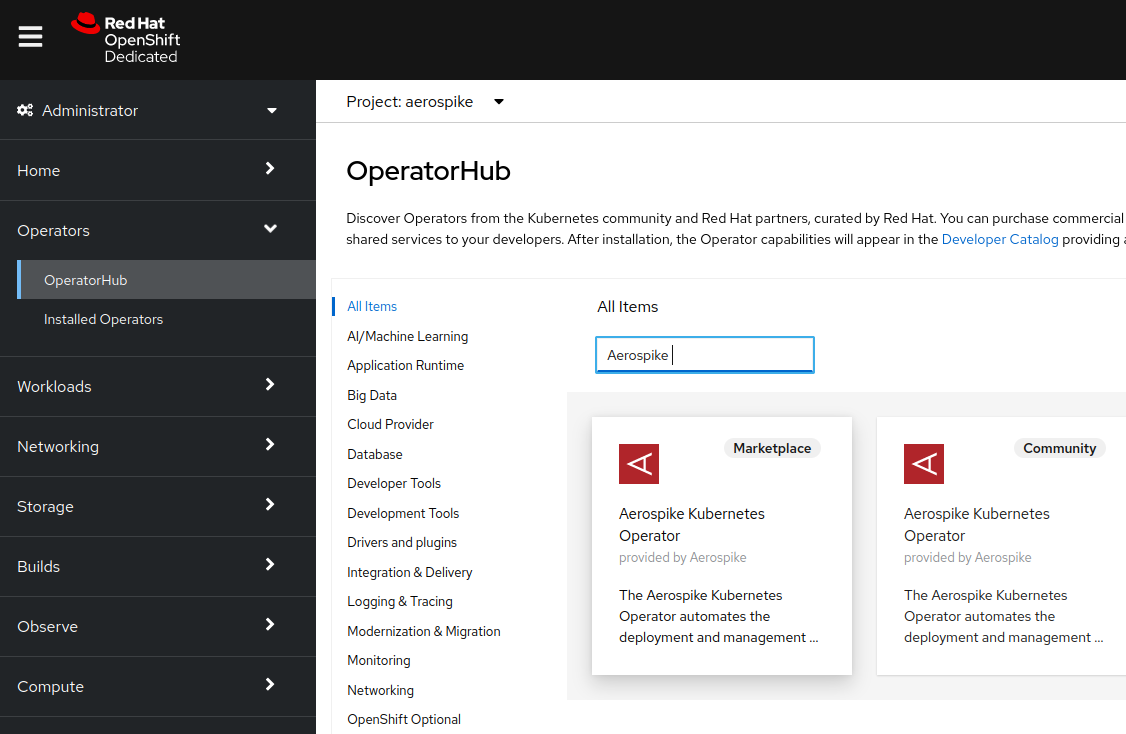
-
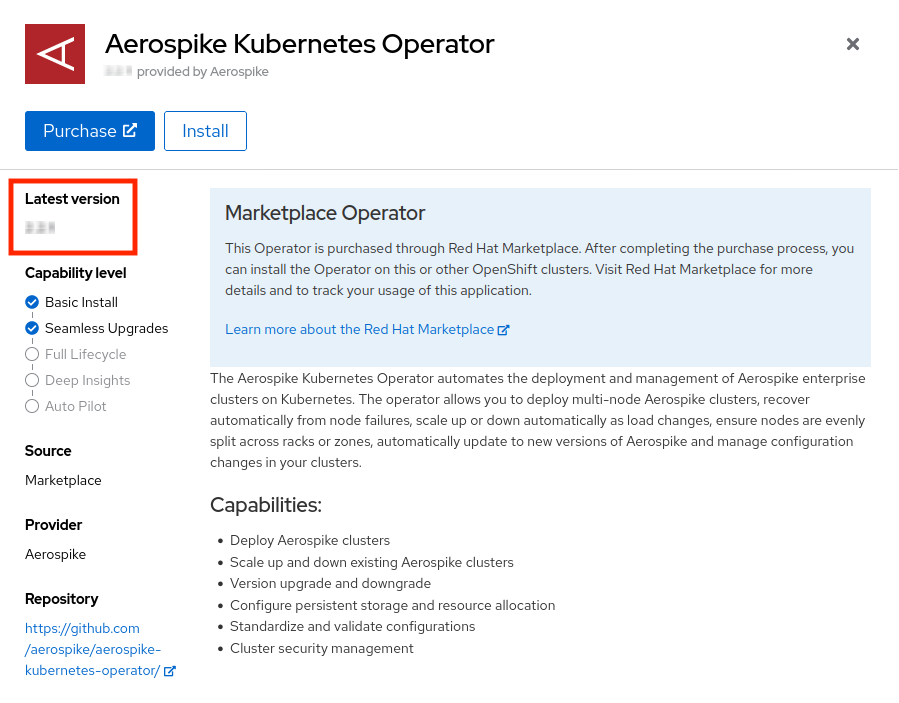
In the Marketplace Operator page, verify that 4.3.0 is the latest version.


Upgrade AKO
Based on the installPlanApproval mode, the AKO upgrade is either:
- Automatic: The default when installing AKO from Red Hat Marketplace.
- Manual: If the Operator subscription has been edited to use Manual approval.
The standard install procedure sets up Automatic upgrade approval for the operator.
In this case, OpenShift automatically installs the latest version.
You do not need to perform any manual steps to upgrade, only to check that the upgrade was successful.
-
Using the Administrator view, go to Operators > OperatorHub.
-
Search for Aerospike.
-
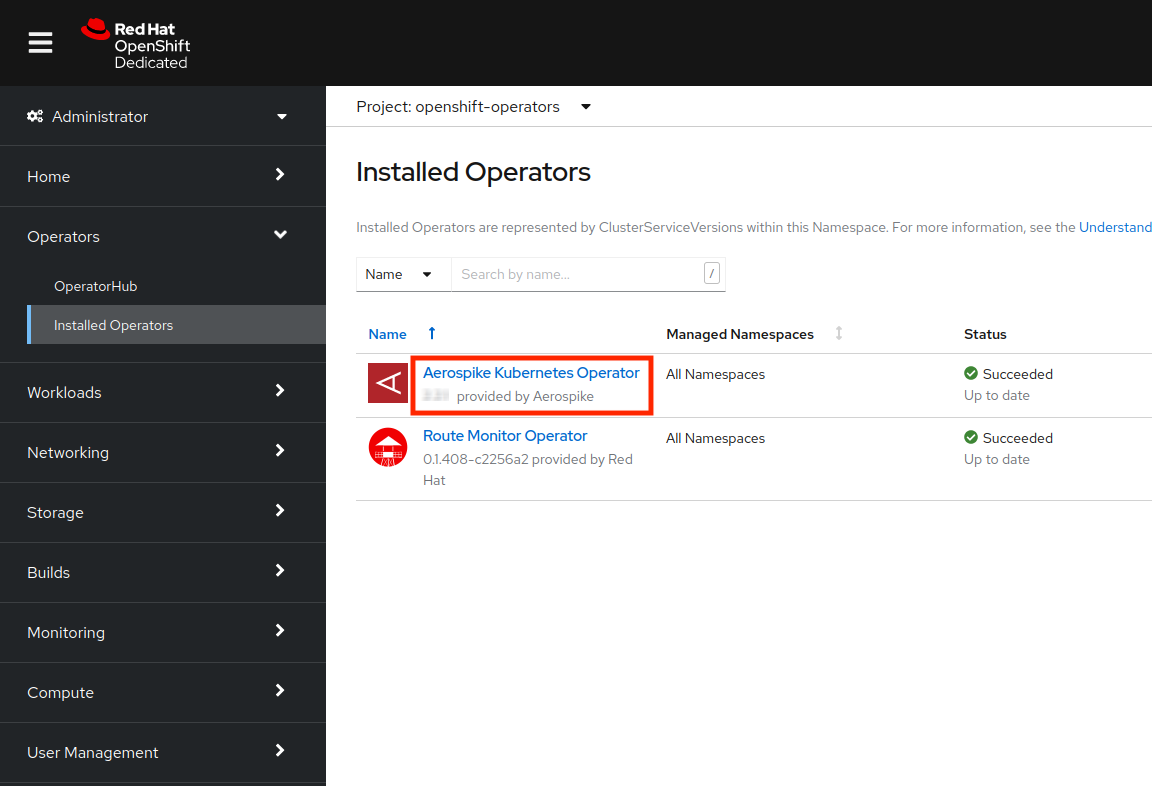
You should see that AKO has been upgraded to version 4.3.0, as shown in the image:
-
Skip ahead to configuring the CLI.

If the AKO subscription is set for Manual approval, follow these steps to manually approve the upgrade.
-
In the OpenShift web console, go to the Administrator view.
-
Go to Operators > Installed Operators.
-
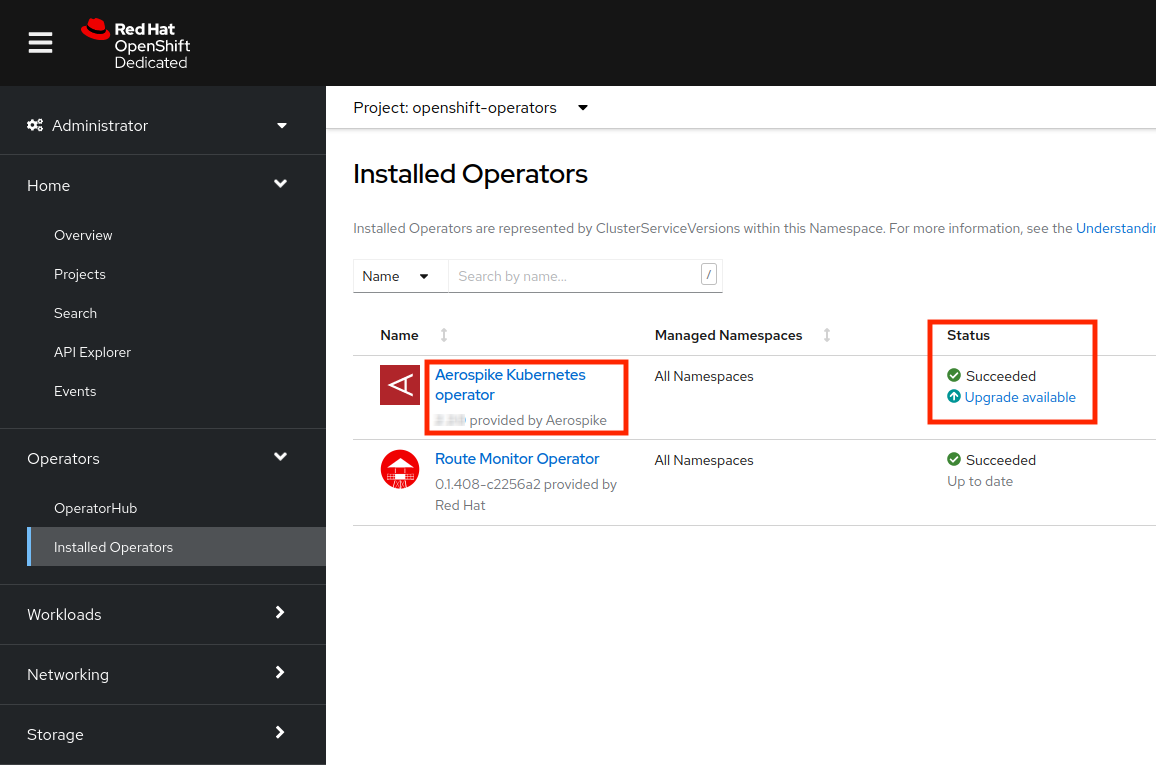
Search for Aerospike. You will see that the new AKO version is available:
-
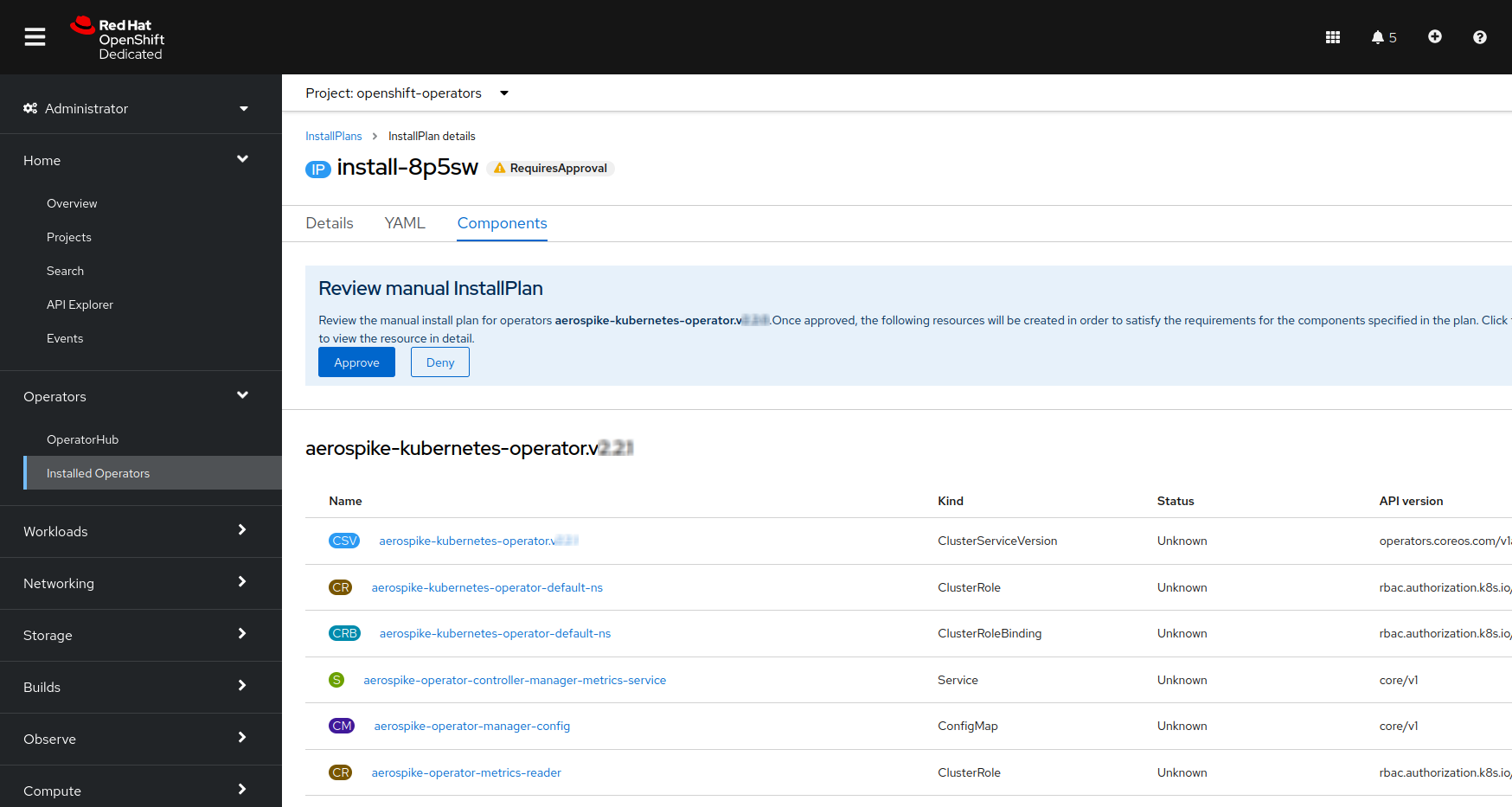
Click Upgrade Available to review the details of the InstallPlan. The name of the InstallPlan is generated automatically and may be different from what is displayed in the following examples.
-
Click Preview InstallPlan to display the details of the InstallPlan:
-
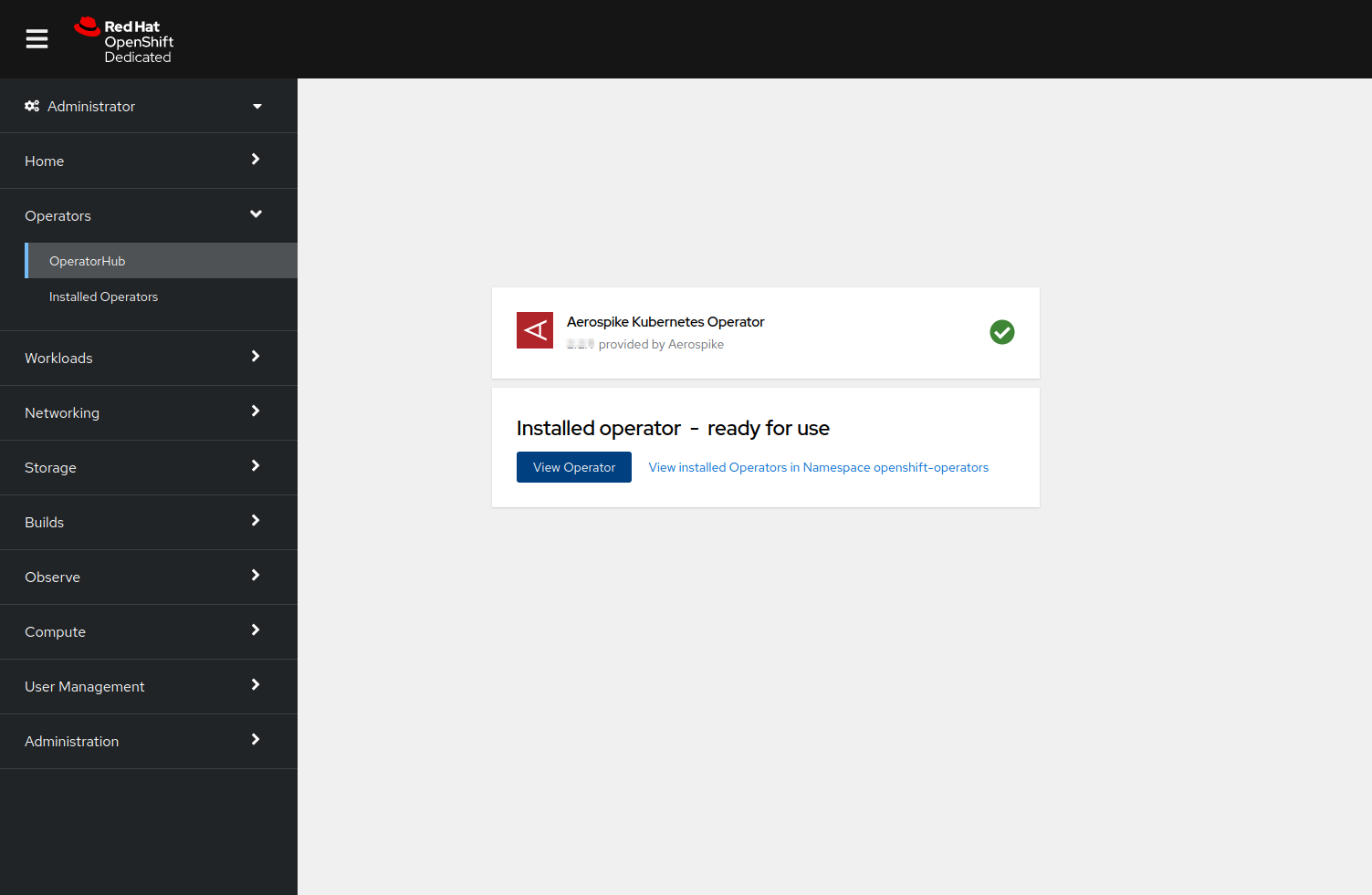
Click Approve to approve and start the upgrade. The following message appears after a successful upgrade:
-
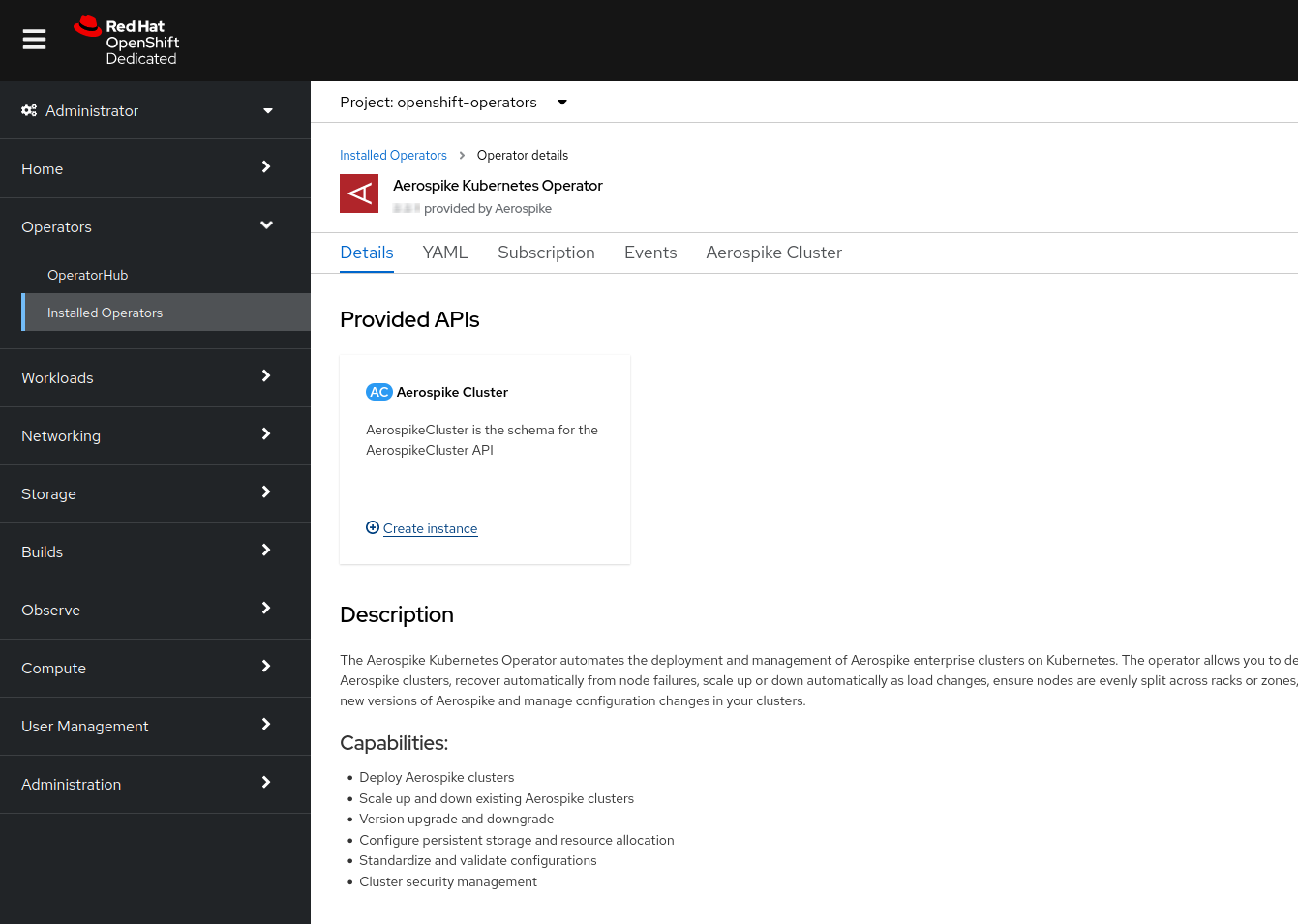
Select View Operator to verify AKO details.


Verify CLI tools
From a terminal, log in to the OpenShift cluster and ensure that the oc or kubectl CLI tool connects to the correct OpenShift cluster.
Run get pods with either tool to make sure your pods are visible.
OpenShift command line
Use the following procedure to upgrade AKO installed on Red Hat OpenShift to the latest version using the command line.
Verify CLI tools
This section shows how to use kubectl to upgrade the AKO version.
You can also use the same commands with oc, the OpenShift command line tool, instead of kubectl.
The syntax of each command is the same with oc and kubectl.
Run get pods with either command to make sure your pods are visible.
Verify version availability
Verify that the following command lists 4.3.0 as the current CSV version:
kubectl get packagemanifests -l catalog=redhat-marketplace,provider=Aerospike -o yaml | grep currentCSV:- currentCSV: aerospike-kubernetes-operator.v2.5.0- currentCSV: aerospike-kubernetes-operator.v4.3.0Upgrade AKO
Based on the installPlanApproval mode, the AKO upgrade is either:
- Automatic: The default when installing AKO from Red Hat Marketplace.
- Manual: If the Operator subscription has been edited to use Manual approval.
The standard install procedure sets up Automatic upgrade approval for AKO. In this case OLM automatically installs AKO version 4.3.0. You do not need to perform any manual steps to upgrade AKO.
You can skip ahead to verification.
If the OperatorHub.io subscription has been edited to use manual approval, you need to approve the upgrade as follows:
Verify that the InstallPlan for version 4.3.0 has been created.
kubectl get installplan -n openshift-operators | grep aerospikeSample output with an InstallPlan for version 4.3.0:
NAME CSV APPROVAL APPROVEDinstall-2tg7p aerospike-kubernetes-operator.v4.3.0 Manual falseIn this example, the upgrade is not applied since the APPROVED status is false.
To approve the upgrade, set the approved field in the InstallPlan to true:
kubectl patch installplan -n openshift-operators --type merge --patch '{"spec":{"approved":true}}' $(kubectl get installplan -n openshift-operators | grep "aerospike-kubernetes-operator.v4.0.1" | cut -f 1 -d " ")Check AKO logs
After you upgrade succesfully, you can check the AKO logs.
AKO runs as two replicas by default for higher availability. Run the following command to follow the logs for the AKO pods.
kubectl -n openshift-operators logs -f deployments/aerospike-operator-controller-manager managerSample output:
2026-01-08T14:27:14Z INFO setup Initializing webhook certificate watcher using provided certificates {"webhook-cert-path": "/tmp/k8s-webhook-server/serving-certs", "webhook-cert-name": "tls.crt", "webhook-cert-key": "tls.key"}2026-01-08T14:27:14Z INFO controller-runtime.certwatcher Updated current TLS certificate2026-01-08T14:27:14Z INFO setup Init aerospike-server config schemas2026-01-08T14:27:14Z DEBUG setup Config schema added {"version": "6.0.0"}2026-01-08T14:27:14Z DEBUG setup Config schema added {"version": "6.1.0"}2026-01-08T14:27:14Z DEBUG setup Config schema added {"version": "6.2.0"}2026-01-08T14:27:14Z DEBUG setup Config schema added {"version": "7.0.0"}2026-01-08T14:27:14Z DEBUG setup Config schema added {"version": "8.0.0"}2026-01-08T14:27:14Z DEBUG setup Config schema added {"version": "8.1.0"}2026-01-08T14:27:14Z DEBUG setup Config schema added {"version": "6.3.0"}2026-01-08T14:27:14Z DEBUG setup Config schema added {"version": "6.4.0"}2026-01-08T14:27:14Z DEBUG setup Config schema added {"version": "7.1.0"}2026-01-08T14:27:14Z DEBUG setup Config schema added {"version": "7.2.0"}2026-01-08T14:27:14Z INFO controller-runtime.builder Registering a mutating webhook {"GVK": "asdb.aerospike.com/v1, Kind=AerospikeCluster", "path": "/mutate-asdb-aerospike-com-v1-aerospikecluster"}2026-01-08T14:27:14Z INFO controller-runtime.webhook Registering webhook {"path": "/mutate-asdb-aerospike-com-v1-aerospikecluster"}2026-01-08T14:27:14Z INFO controller-runtime.builder Registering a validating webhook {"GVK": "asdb.aerospike.com/v1, Kind=AerospikeCluster", "path": "/validate-asdb-aerospike-com-v1-aerospikecluster"}2026-01-08T14:27:14Z INFO controller-runtime.webhook Registering webhook {"path": "/validate-asdb-aerospike-com-v1-aerospikecluster"}2026-01-08T14:27:14Z INFO controller-runtime.builder Registering a mutating webhook {"GVK": "asdb.aerospike.com/v1beta1, Kind=AerospikeBackupService", "path": "/mutate-asdb-aerospike-com-v1beta1-aerospikebackupservice"}2026-01-08T14:27:14Z INFO controller-runtime.webhook Registering webhook {"path": "/mutate-asdb-aerospike-com-v1beta1-aerospikebackupservice"}2026-01-08T14:27:14Z INFO controller-runtime.builder Registering a validating webhook {"GVK": "asdb.aerospike.com/v1beta1, Kind=AerospikeBackupService", "path": "/validate-asdb-aerospike-com-v1beta1-aerospikebackupservice"}2026-01-08T14:27:14Z INFO controller-runtime.webhook Registering webhook {"path": "/validate-asdb-aerospike-com-v1beta1-aerospikebackupservice"}2026-01-08T14:27:14Z INFO controller-runtime.builder Registering a mutating webhook {"GVK": "asdb.aerospike.com/v1beta1, Kind=AerospikeBackup", "path": "/mutate-asdb-aerospike-com-v1beta1-aerospikebackup"}2026-01-08T14:27:14Z INFO controller-runtime.webhook Registering webhook {"path": "/mutate-asdb-aerospike-com-v1beta1-aerospikebackup"}2026-01-08T14:27:14Z INFO controller-runtime.builder Registering a validating webhook {"GVK": "asdb.aerospike.com/v1beta1, Kind=AerospikeBackup", "path": "/validate-asdb-aerospike-com-v1beta1-aerospikebackup"}2026-01-08T14:27:14Z INFO controller-runtime.webhook Registering webhook {"path": "/validate-asdb-aerospike-com-v1beta1-aerospikebackup"}2026-01-08T14:27:14Z INFO controller-runtime.builder Registering a mutating webhook {"GVK": "asdb.aerospike.com/v1beta1, Kind=AerospikeRestore", "path": "/mutate-asdb-aerospike-com-v1beta1-aerospikerestore"}2026-01-08T14:27:14Z INFO controller-runtime.webhook Registering webhook {"path": "/mutate-asdb-aerospike-com-v1beta1-aerospikerestore"}2026-01-08T14:27:14Z INFO controller-runtime.builder Registering a validating webhook {"GVK": "asdb.aerospike.com/v1beta1, Kind=AerospikeRestore", "path": "/validate-asdb-aerospike-com-v1beta1-aerospikerestore"}2026-01-08T14:27:14Z INFO controller-runtime.webhook Registering webhook {"path": "/validate-asdb-aerospike-com-v1beta1-aerospikerestore"}2026-01-08T14:27:14Z INFO eviction-webhook Eviction webhook metrics registered2026-01-08T14:27:14Z INFO controller-runtime.webhook Registering webhook {"path": "/validate-eviction"}2026-01-08T14:27:14Z INFO setup Adding webhook certificate watcher to manager2026-01-08T14:27:14Z INFO setup Starting manager2026-01-08T14:27:14Z INFO starting server {"name": "health probe", "addr": "[::]:8081"}2026-01-08T14:27:14Z INFO controller-runtime.webhook Starting webhook server2026-01-08T14:27:14Z INFO setup disabling http/22026-01-08T14:27:14Z INFO controller-runtime.webhook Serving webhook server {"host": "", "port": 9443}